No audio storage • Privacy-first design
Save 30 minutes per patient.
Get structured clinical notes from natural conversations.
Set up once. Reuse for every patient. Works across specialties.
No patient data stored
Secure authentication

1. Define Your Fields
Create custom fields matching your EMR system

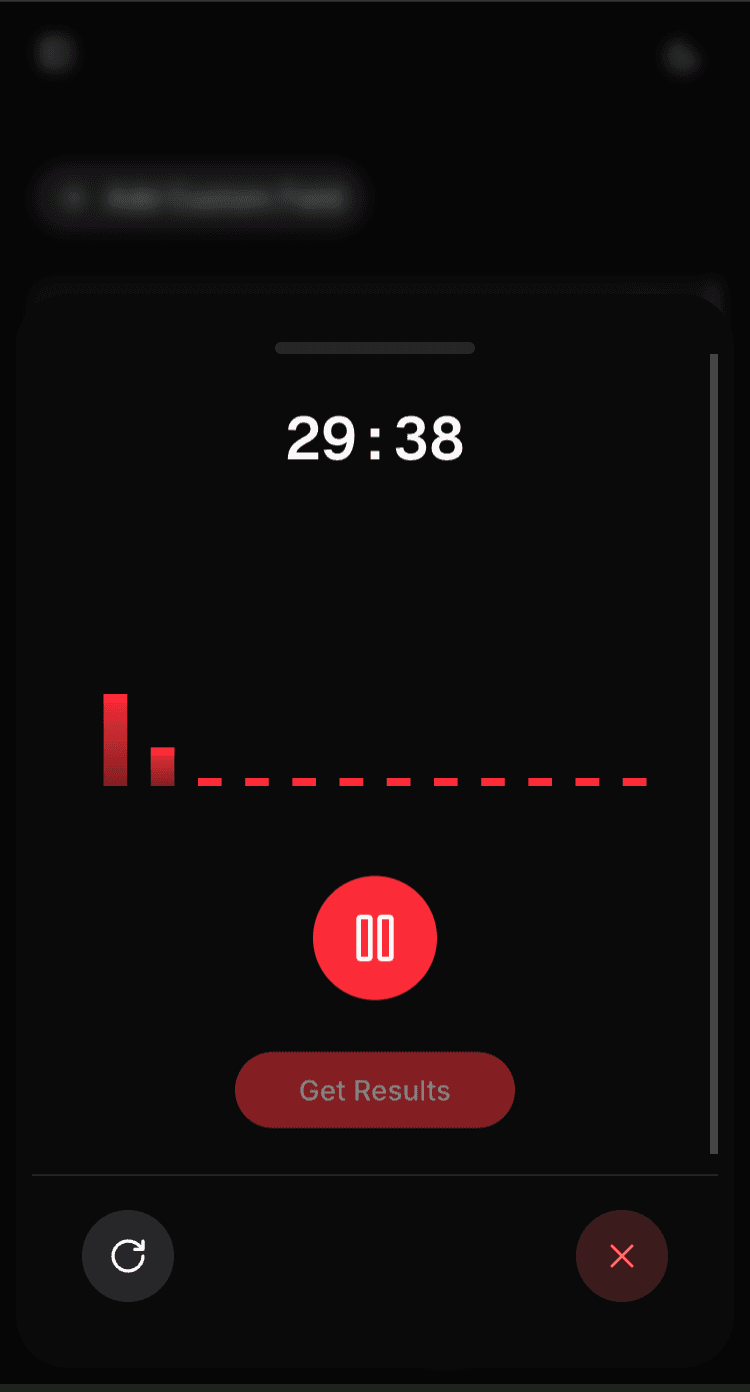
2. Record Conversation
Record patient conversations in real-time

Review • Edit • Copy to EMR
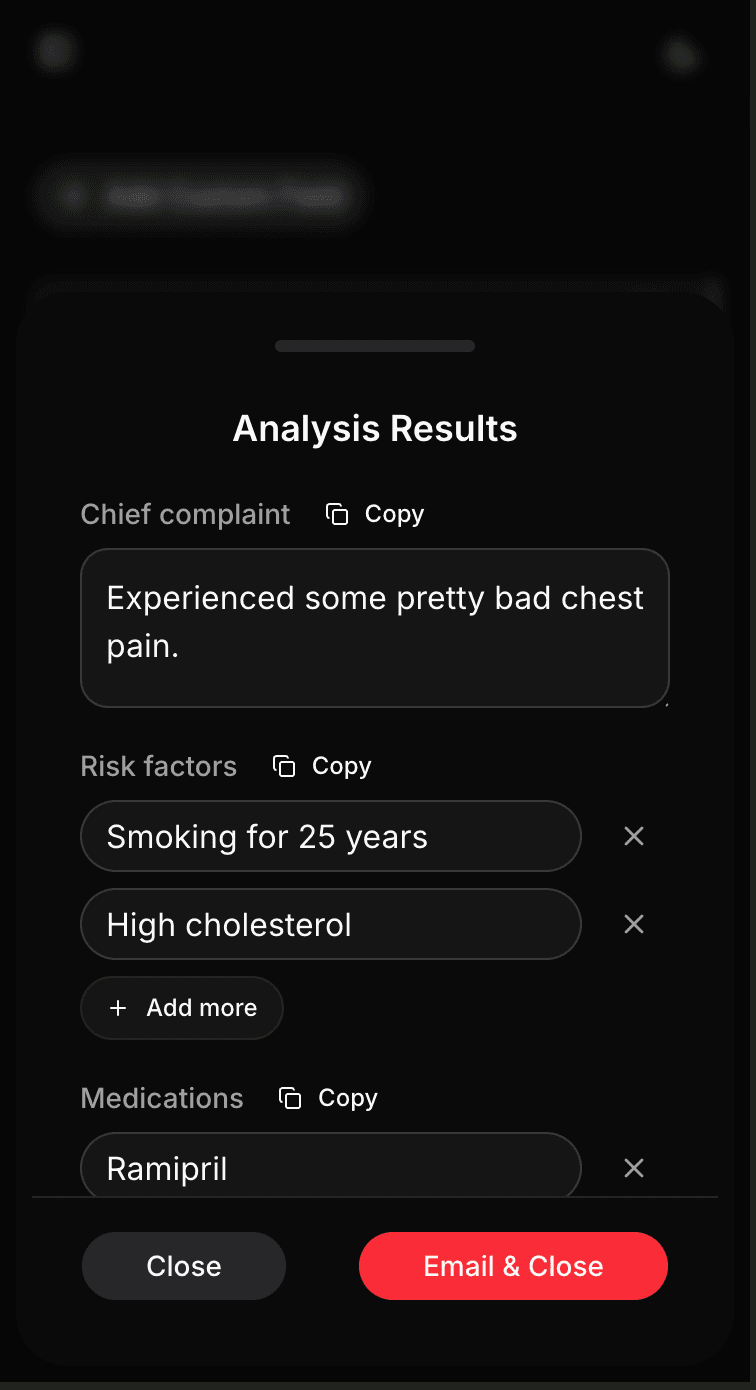
3. Get Structured Results
AI fills your fields, ready to copy to EMR
How It Works
1. Match Your EMR Structure (Once)
- •Define custom fields that match your EMR system or clinic's requirements
- •Set up once. Reuse for every patient visit
- •AI will extract information only for fields you define

2. Record the Conversation
- •Start recording directly in your browser
- •Real-time transcription happens in the background
- •No editing during the visit required — review after the conversation ends
- •Pause and resume as needed during the conversation

3. Get Clean, Clinically Worded Notes
- •AI analyzes the conversation and fills your custom fields
- •Results are written the way clinicians write — clean and professional
- •Review and edit before copying to your EMR
- •One-click copy for each field or the entire analysis

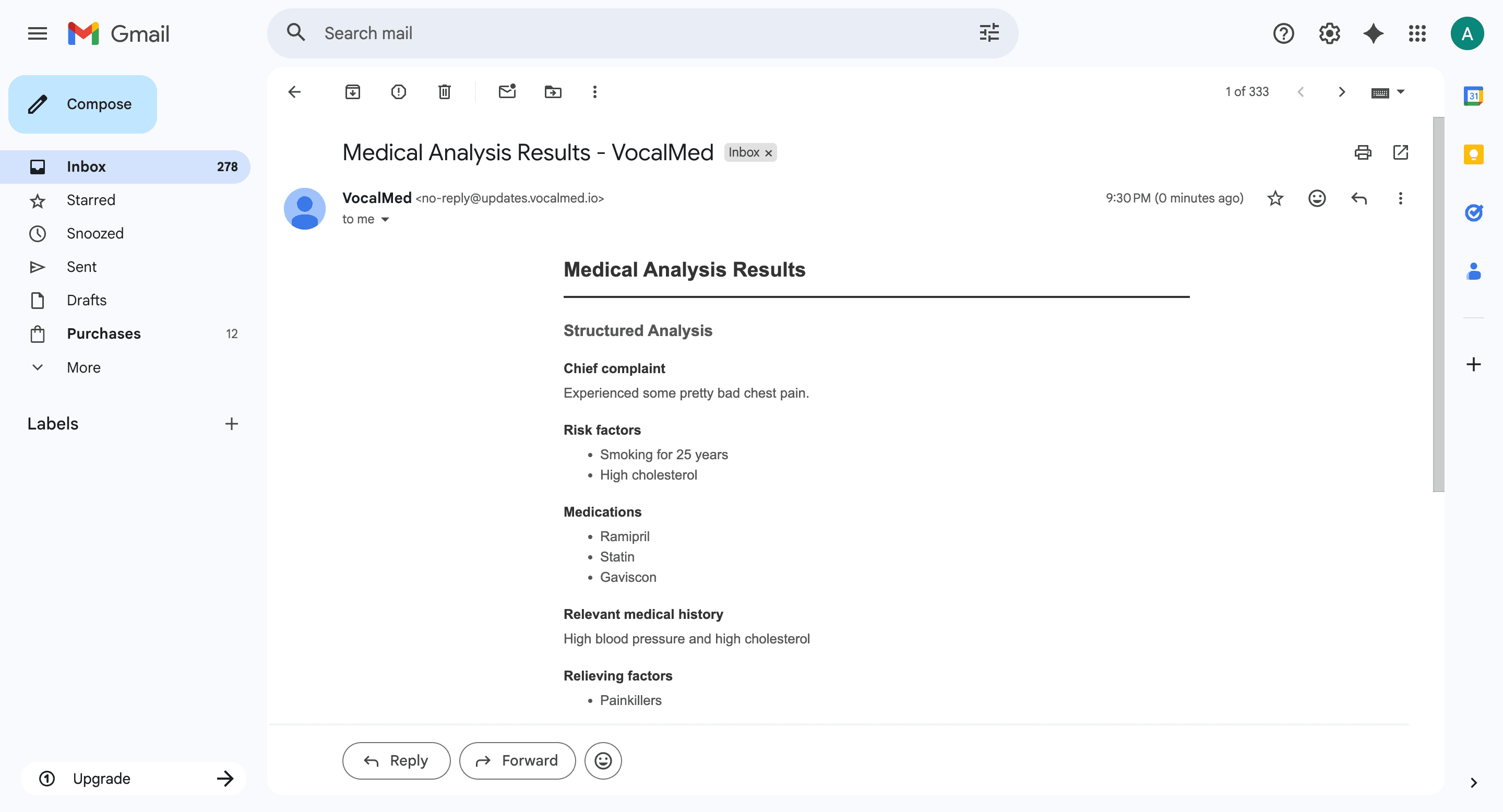
4. Optionally Email Results to Yourself
- •Send formatted results directly to your email
- •Perfect for documentation or sharing with colleagues
- •Results are formatted as professional medical reports

Privacy & Security First
No Data Storage
Your audio recordings and transcripts are never stored.As soon as you close the results drawer, all data is permanently deleted.Your conversations remain private and secure.
Secure Authentication
Clerk is used for secure, enterprise-grade user authentication.Your account and data are protected by industry-standard security measures.Learn more about Clerk's security features